Known scam and phishing sites, replaced with a warning.
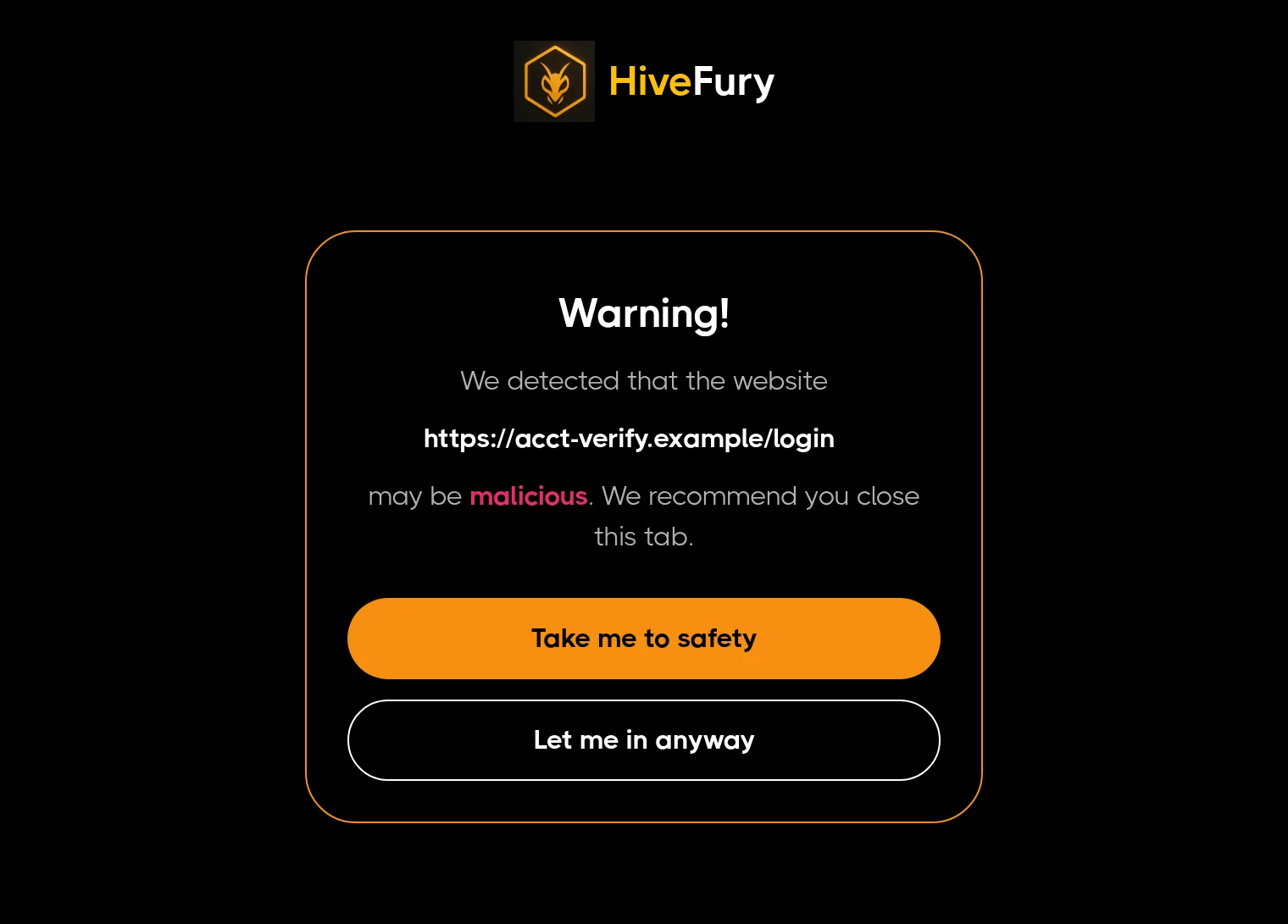
HiveFury checks each site you open against a threat list. If the site is on it, the tab shows a warning instead of the page, and you decide whether to go back or go on.
No account. Only the site's address is checked.
One morning of browsing, checked
Example. The sites and times are made up; the warning is the real HiveFury 3.0.1 page.
- Sent for the check
https://acct-verify.example- Stayed in your browser
/login?session=8f2c41&ref=mail
Not on the list. The page opened.
HiveFury showed nothing. That's what happens on almost every site you open.
Not on the list. The page opened.
This page also asked a crypto wallet for access to your accounts, so HiveFury checked whether the site is a known wallet drainer. It isn't listed, so nothing was shown.
What happens when you open a site
HiveFury needs one part of the address to do its job. The rest of the link never leaves your browser.
- 1
You open a site
Any
httporhttpspage, in any tab. - 2
HiveFury asks about the origin
Only the scheme, host and port, like
https://, goes to the threat list. Recent answers are remembered for a short while, so the same site isn't asked about over and over.acct-verify.example - 3
Not listed: nothing happens
No badge, no popup. This is almost every site.
- 4
Listed: the tab shows a warning
Take me to safety leaves the page. Let me in anyway opens it, and HiveFury remembers that choice for that site, on this device only.
If you use a crypto wallet
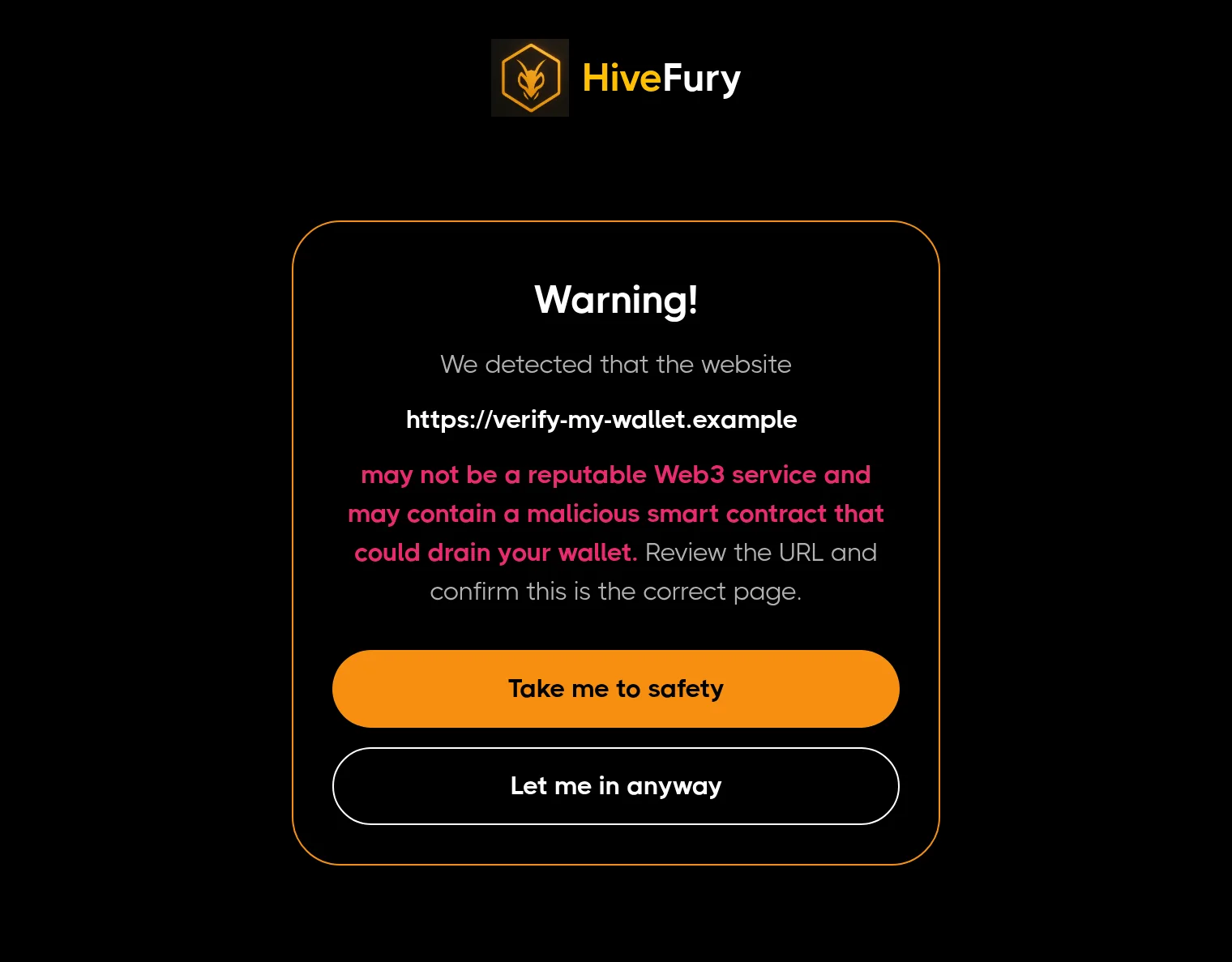
Some scam pages exist to get a wallet connected and then empty it. When a page asks your wallet for access to your accounts, HiveFury checks whether the site is a known wallet drainer. If it is, the tab is replaced with this warning. If your wallet's own pop-up is still open, reject the request there.
This works with Ethereum-style browser wallets. HiveFury never sees your wallet address, balances or transactions; the site's origin is the only thing checked, the same as for any other site.
What leaves your browser
Everything HiveFury 3.0.1 sends is on this list. There's no account, so none of it is tied to your name or email.
Sent
https://www.example.comEach site you open, and when a page asks your wallet for accountsHiveFury's threat service. Its server logs, which include your IP address, are deleted within 30 days.Kept on this device
Never collected
? or #), page content, what you type, passwords, cookies, wallet addresses, transactions, your name, your email.HiveFury doesn't sell data, show ads, or share data with data brokers. The privacy policy has the details, including retention and your rights.
What it can't do
It's one layer, and it's honest about the gaps.
New scam sites can get through
HiveFury only warns about sites already on its threat list. New scam pages go up all the time, and some will reach you before they're listed.
It works alongside Chrome's Safe Browsing
It doesn't replace it. Keep Safe Browsing on in Chrome under Settings, Privacy and security, Security.
It isn't antivirus
It doesn't scan downloads or files on your computer.
It checks sites, not messages
It looks at a site when you open it, not at links in your email or texts before you click.
Desktop Chrome only
Nothing on phones.
More on-device protection is coming in the next update.
Used HiveFury before?
HiveFury used to come with accounts and a rewards app. It's now only a free security extension, and the update installs automatically. What changed
Questions
Short answers. The privacy policy has the long ones.
Is it really free?
Yes. There's no account to create, no ads, and no paid tier in the extension.
A site I trust showed a warning. What do I do?
Choose Let me in anyway. HiveFury remembers that for that site on this device. Please also email the site's address to rick@interlock.network so the listing can be checked.
I already have HiveFury. Do I need to do anything?
No. Chrome updates extensions automatically. You can see your version at chrome://extensions.
Does it work in Edge, Brave or other browsers?
It's built for Chrome on desktop. Other Chromium-based browsers can install extensions from the Chrome Web Store, but Chrome is the one we support.
Does HiveFury see the pages I visit?
No. It sees the origin of each site you open (like https://www.example.com) so it can check it. It doesn't read the page, the rest of the link, or anything you type.
How do I remove it?
Open chrome://extensions and choose Remove under HiveFury. Its data on your device is deleted with it.
Who makes HiveFury?
Interlock Network, based in Baar, Switzerland. Questions go to rick@interlock.network.